

Look at and analyze spatial omics data in your browser
Open a Xenium, Visium or CosMx section and see every cell over the tissue image. Find clusters, compare groups and the genes that set them apart, and keep what you find as a version of the data, with nothing to install and no code to write.
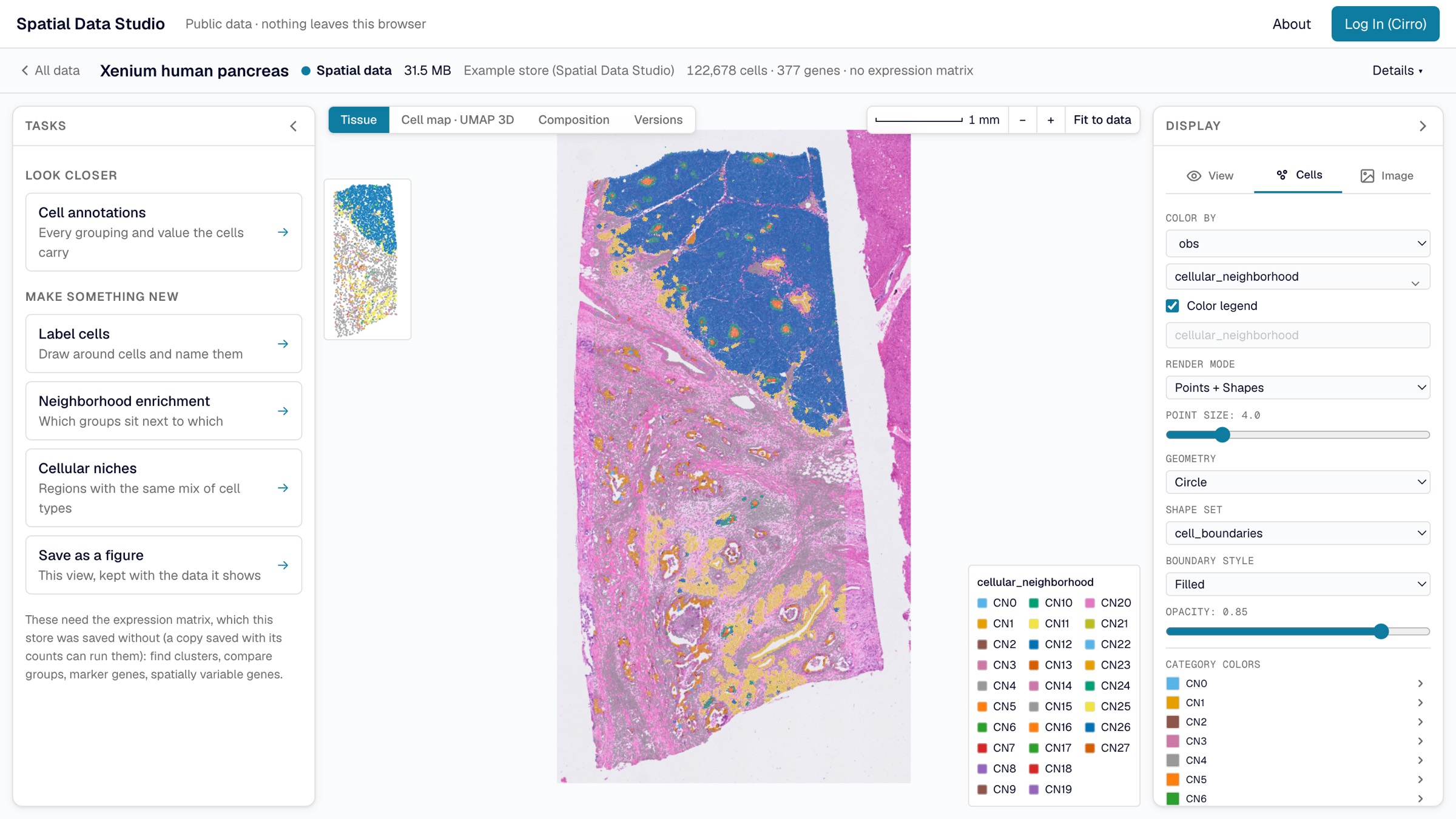
How it organizes your data
From the instrument to the figure
The web app sorts a project's data into four stages and shows them as a map. An item moves on to the next stage when a pipeline or an analysis makes it.
- Images
Microscopy and histology images on their own, before any cells are found in them.
- Instrument runs
An instrument's raw output as it wrote it: transcripts, its own cell segmentation, images and metrics.
- Spatial data
Each cell with its position, expression and annotations, with the images and cell boundaries, and every version you save on it.
- Figures
A view kept as a figure, saved inside the version it was made in.
Four stages of data has which Cirro datasets and files each stage reads, and what you can do at each.
Analyses with reports
Find clusters, compare groups, find marker genes and spatially variable genes, measure neighborhood enrichment and find cellular niches, all in your browser. Each opens as a report, and each follows scanpy and squidpy and is tested against them. Analyze in the browser.
Versions, not copies
What you make is saved as a version holding only what changed: a new column of labels is kilobytes, beside a store of gigabytes that is not copied. Nothing is ever overwritten, so going back is just opening an older version.
Work as a team
In Cirro, each version is a dataset in the project, with a note of what was saved and by whom. Anyone on the project can open it and save their own version on top. Your data in Cirro.
Figures you can publish
Keep the tissue as it is shown as a figure, or download it as SVG, PDF or a 300 dpi PNG, one or two columns or a slide wide.
Analysis Workspaces
When the browser isn't enough
An Analysis Workspace is the server version of Spatial Data Studio: every squidpy and scanpy function through point-and-click forms, curated recipes of several steps, and the memory of a whole machine for sections too big for a browser. The web app starts one in your Cirro project with the datasets you choose, attached in place, so nothing is downloaded and a section too big for a laptop only needs a bigger machine.
You pick a function, fill in a form built from that function's own signature, and it runs against the object in memory. The analysis adds its columns, embeddings and graphs to the object you already have, and appends one entry to the session's history. What the canvas can color by grows as you go.
An Analysis Workspace is one running app, and colleagues can join it once you share it. Whoever opens a session holds its edit lock; everyone else watches, and each analysis appears on their screens as it finishes rather than on a reload. What you are looking at stays yours — your gene, your channels, your corner of the section — while someone else drives.
Sign in as yourself
Sign-in is per browser, through Cirro's device-code flow: you open a link, sign in as you normally would, and the app never sees a password. The server holds no Cirro credential and needs no Cirro configuration, so several people share one running app without sharing an account.
Publishing is the one write
Saved checkpoints upload as a new dataset alongside the data rather than on top of it. The upload carries the viewer itself and an index of what is in it, so the resulting dataset opens as a browsable collection for anyone with access — no app, no install, no download.
Two people, one session
The padlock next to a session name says who holds it and who is on it, and names everyone in the room. Take an unlocked session, hand yours over, or rename yourself from the two-word name you arrived with. Watching costs nothing: display settings are per-browser and never enter the session.
An Analysis Workspace also runs on your own computer, from one Docker command: Run it with Docker, which also connects an AI assistant to it. Analysis Workspaces has starting one, sharing it and publishing from it; DESIGN.md §15 has the auth and credential scoping.
Advanced
The viewer on its own
A saved checkpoint opens in any browser with nothing running behind it. The viewer reads only what the current view needs, so opening a 438 MB checkpoint and coloring by a gene costs under a megabyte.
Copy a link to the exact view you are looking at, put a folder of checkpoints on any web server that answers range requests, or show the viewer in a frame on your own page or dashboard.
<iframe src="viewer/index.html
    ?checkpoint=my-run.sdata.zarr.zip
    &embed=1"></iframe>