

Spatial Data Studio
Look at and analyze spatial omics data in your browser — no code required.
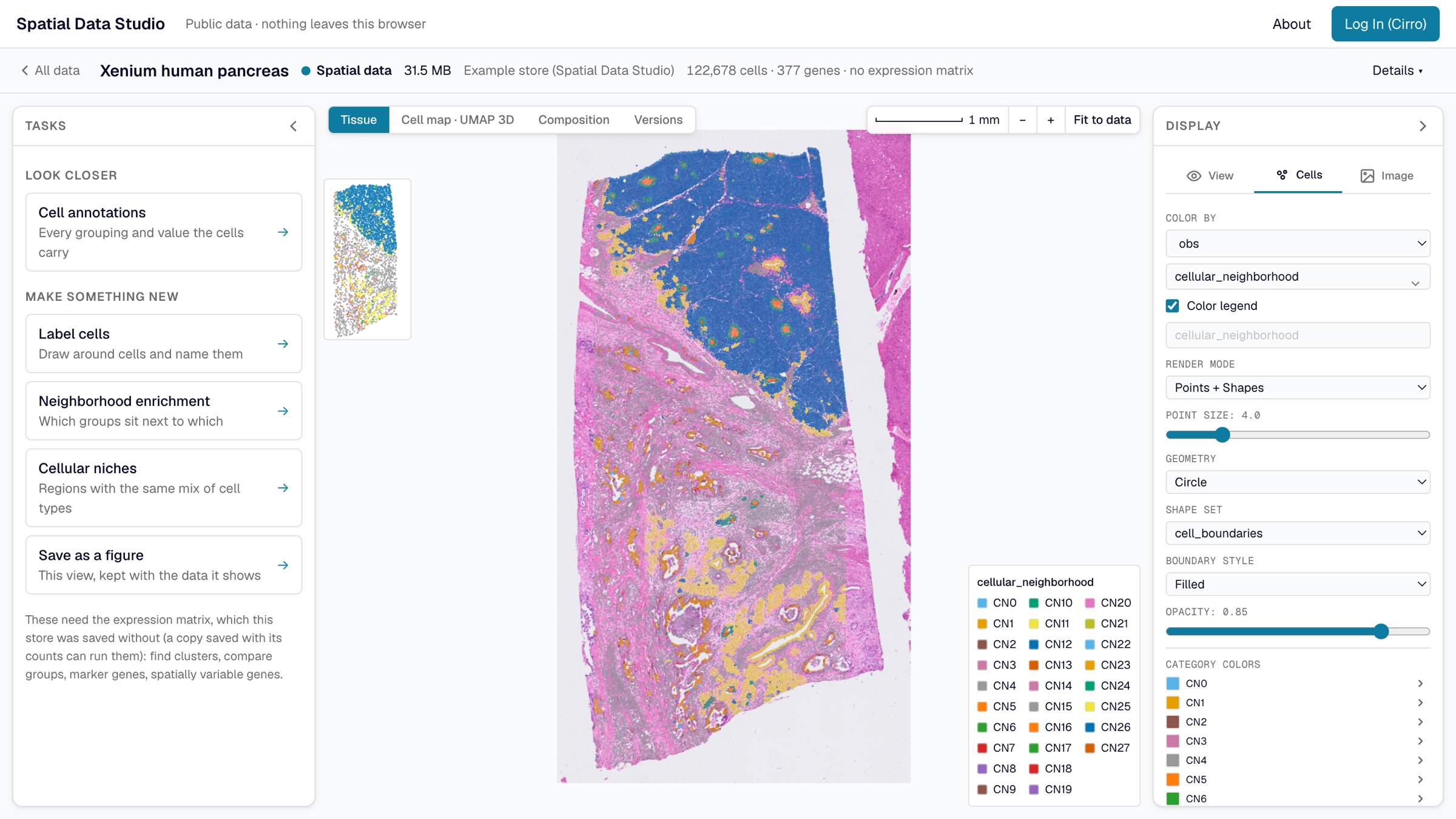
Spatial Data Studio is a web application for spatial transcriptomics and imaging. Open a section (Xenium, Visium, Visium HD, CosMx, MERSCOPE, or anything else SpatialData can read), see every cell over the tissue image, find clusters, compare groups and the genes that set them apart, and keep what you find. Explore public data with no account, or open your own projects in Cirro, save results back to them, and work on them with your team.
Use it
Open cirrobio.github.io/spatial-data-studio and choose:
- Public Data: public sections, ready to open, with no account. Nothing leaves your browser.
- Private Data (Cirro): your own Cirro projects, read where they are stored, with each result saved back to the project as a version.
For work beyond the browser, the web app starts an Analysis Workspace in your Cirro project: the server version of Spatial Data Studio, with every squidpy and scanpy function behind point-and-click forms.
Run it on your own computer
An Analysis Workspace is also one Docker image, which needs nothing but Docker and a folder of your own data:
docker run -d -p 8080:8888 \
  -v "$(pwd)/data":/data -e SDS_DATA_DIR=/data \
  public.ecr.aws/cirrobio/spatial-data-studio:v1
Open http://localhost:8080 and start a session on anything in that folder. Run it with Docker has the rest, including connecting an AI assistant; docker/README.md has the compose file, the memory limits and the full environment contract; DEVELOPMENT.md has how to run from a clone instead.
Documentation
cirrobio.github.io/spatial-data-studio/about renders every file below, so the same words read the same on GitHub and on the site.
| Guide | what the app does and how to use it — the source of truth for it |
| Share and embed the viewer | saved sections on your own site or dashboard |
| Analysis methods | what each bundled method does |
| Version layer format | how the web app saves a version of a store, opening one in an Analysis Workspace, and reading one from Python |
| Docker image | the image, its memory limits and environment |
| Development guide | architecture, repo layout, dev setup, tests |
| The web app | the browser-only app, for developers |
| Design | the full specification and the reasoning behind it |
| API contract | the REST / SSE / Arrow contract |
| Contributing | adding a recipe or an analysis function |
| License | the Cirro Bio Source Available License |
The default licence grant covers evaluation, review, and preparing contributions; any other use, including production use, needs a written authorization from Cirro Bio, Inc.
Maintenance rule: this README stays a short orientation — the pitch, where to use the app, the Docker command, and where the docs are. The guide is the source of truth for what the app does, and
DEVELOPMENT.mdfor the developer-facing detail. Any change that adds, removes, or alters a user-facing capability updates the guide page that covers it in the same commit (and refreshes a screenshot if it materially changes a pictured panel); a change to the run command updates this README. SeeCLAUDE.md.